Open items
Receivables and payables from POHODA Saldo snapshots — ageing in six bands, external and group counterparties, checks against the books, source rows and the Excel download.
On this page
Open items shows who owes the group money and whom the group owes, how long each item is overdue, and whether the snapshot agrees with the books. It reads Saldo snapshots exported from POHODA: receivables on account 311 and payables on account 321. Open it from Open items in the sidebar.
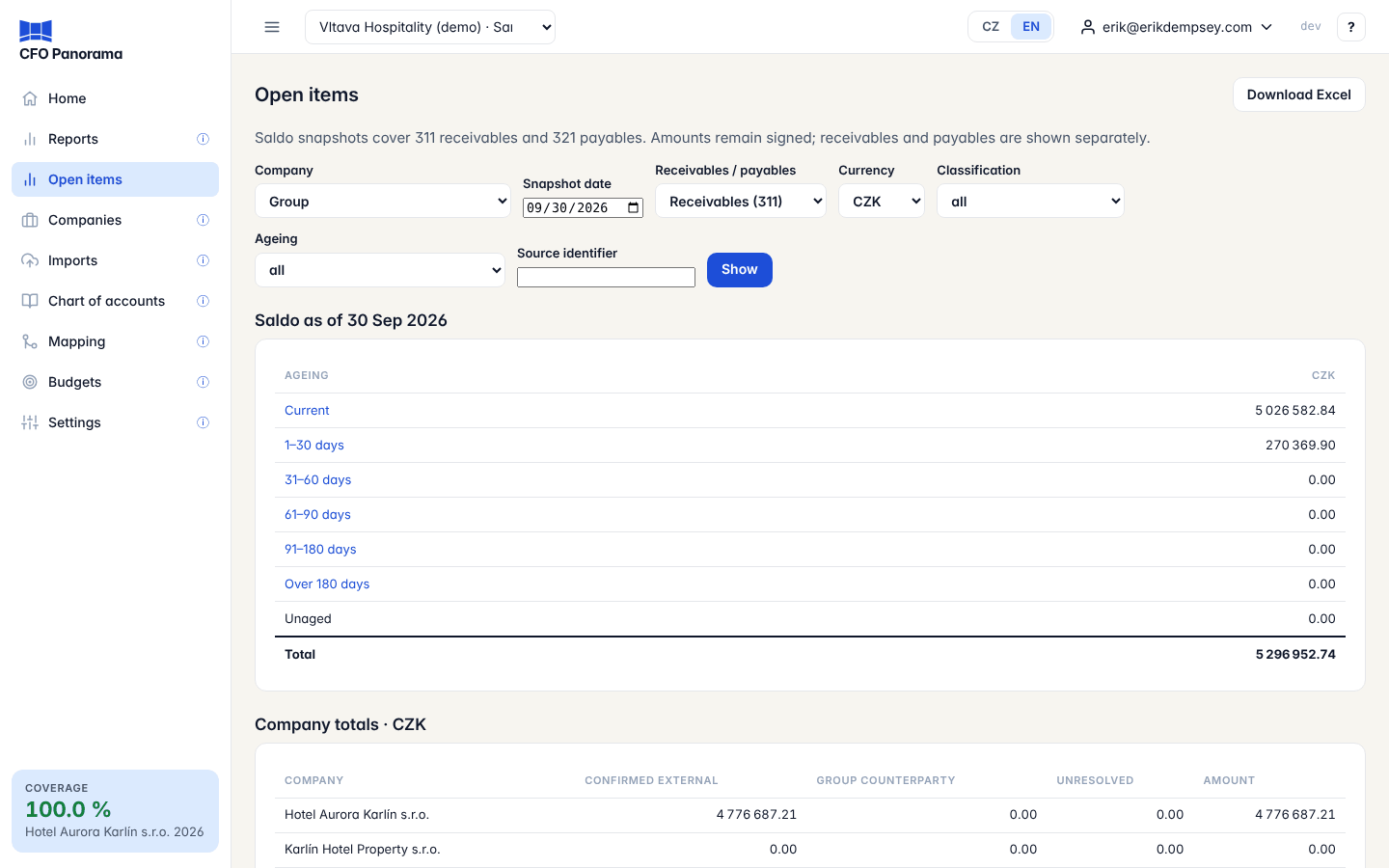
Choosing what to see
| Filter | Options |
|---|---|
| Company | Group (every company) or one company. |
| Snapshot date | The date of a Saldo snapshot; the latest date all chosen companies share is the default. |
| Receivables / payables | Receivables (311) or Payables (321) — always shown separately. |
| Currency | The report currency; foreign-currency items are converted at the ČNB closing rate of the snapshot date. |
| Classification | all, Confirmed external, Group counterparty or Unresolved. |
| Ageing | all or one band. |
| Source identifier | The partner's identifier (usually the IČO). |
| Version | For one company, an earlier snapshot of the same date. |
Click Show to apply.
What you see
- Saldo as of the snapshot date, then the ageing summary: Current, 1–30 days, 31–60 days, 61–90 days, 91–180 days, Over 180 days and Unaged (items without a due date), with the Total. Click a band to list its items.
- Company totals — per company, split into Confirmed external, Group counterparty and Unresolved.
- The list of open items — company, counterparty, identifier, account, pairing reference, due date, Days overdue, ageing band, Remaining amount in its own currency and in the report currency, classification and a link to the Source rows. 200 items per page.
- Checks — each snapshot against the month-end books: the Saldo balance per account against the balance in CFO Panorama, the difference and the tolerance.
- Intercompany checks — the group counterparties' items against the intercompany balances in the books.
- Snapshot imports — every Saldo import with its state.
Amounts keep their sign: a credit balance on a receivable stays negative.
Warnings
- Incomplete group coverage. Only a partial subtotal is available. — a company has no snapshot for the date, or a rate is missing; the total then reads Partial subtotal.
- Unaged amounts are outside the six bands … — some items have no due date; they are in the total but not aged.
- A check that does not match, or a snapshot that is not at a month end, is named above the summary. A mid-month snapshot cannot be compared with month-end books.
Source rows and snapshots
Source rows opens the snapshot's page: when it was exported and uploaded, the file and its fingerprint, the previous version, and the original Saldo rows behind the item, with the matching journal posting where one can be identified exactly. Repeated balances are evidence only — do not add them up.
Download Excel
Download Excel at the top downloads the whole filtered report — not only the page on screen — with the sheets Summary, Company totals, Open items, Checks, Intercompany checks, Provenance and Source rows. The table's own toolbar (Download Excel, Copy, Columns) works on the rows shown.
Getting the data in
Admins and editors upload the POHODA Saldo response file on the Upload page, like any other export; the POHODA export guide includes a ready request for each company. Keep a month-end export each month to compare with the books. See Uploading files.
Did not find what you need? Write to erik@cfopanorama.com.