Closing a month
Close a scope or the whole group for a month in one step — check the open proposals and out-of-balance pairs, then lock the companies and elimination ledgers together.
On this page
Closing a month freezes everything a scope's report reads for that month — the member companies' figures and the elimination ledgers it draws on — so the reports and the board pack show final, locked figures. The Close page brings the checks and the locking together for a saved scope, a holding with what it controls, or the whole group.
Getting there
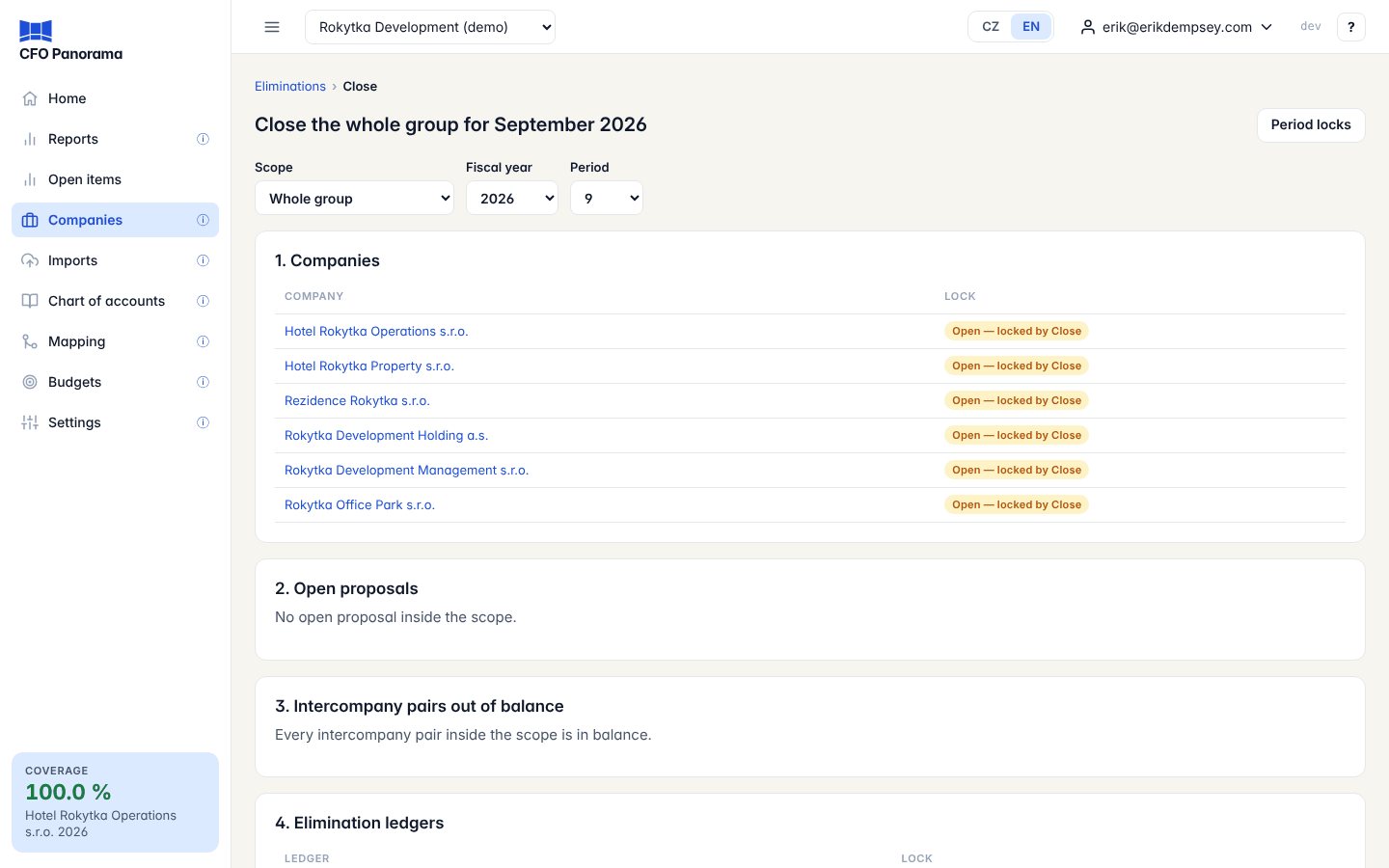
Companies → Eliminations, then Close… on the ledger line. Admins and editors can open the page; only admins can close. The page's title says what it closes, e.g. Close the whole group for September 2026.
Choose the Scope (Whole group or a saved scope), the Fiscal year and the Period. The page opens on the latest month with data.
The four checks
| Section | What it shows |
|---|---|
| 1. Companies | Each member company and its lock: Locked v… through period …, Open — locked by Close, or no applied import (not locked, does not block). Click a company for its period locks. |
| 2. Open proposals | Elimination proposals inside the scope still waiting, recomputed from the current figures for every month of the year through this one. They block the close: post or dismiss them under Proposed first. |
| 3. Intercompany pairs out of balance | Pairs inside the scope that are one-sided, have a difference, or are unassigned, with the difference. Link to Intercompany balances. |
| 4. Elimination ledgers | The ledgers the scope draws on and their lock: locked, Open — locked by Close, or Waits for: … companies outside the scope that are still open. |
Step by step
- Clear section 2: post or dismiss every open proposal. The Close button stays disabled until then.
- Look at section 3. Fix what you can on the intercompany balances page. If you accept the remaining differences, tick Close with n pairs out of balance.
- Add a Note if you like and click Close.
Close recomputes the proposals once more, then in one step locks every open member company through the month and every elimination ledger the scope draws on. The message confirms how many company locks and ledger locks were created.
Good to know
- A ledger whose journals also name companies outside the scope can be locked only when those companies are locked too. It waits; closing the whole group, or Lock the whole group, locks it later.
- When everything is already locked the page says Everything the scope reads is locked through this month.
- Locks work as described in Period locks: the locked figures are kept, later imports are shown as differences, and an admin can release and relock.
Did not find what you need? Write to erik@cfopanorama.com.