Account mapping and coverage
A company's local accounts with the group-chart line each reports on — defaults, suggestions, the evidence behind an account, mapping from a month — and the coverage dashboard that shows how much is mapped.
On this page
Account mapping lists one company's local accounts with the line of the group's Global chart of accounts each one reports on. It is where you confirm defaults, accept suggestions and map accounts by hand. The Coverage dashboard beside it shows how much of the company's P&L and balance sheet is on a confirmed line. Open both from the company's page or from the group Mapping page.
The five states
Each account has one state:
| State | Meaning | Counts as covered |
|---|---|---|
| explicit | Someone mapped or confirmed the account. | Yes |
| default high | No mapping yet; the default of its synthetic account (or PCN prefix) is a safe fit. | Yes |
| default medium | No mapping yet; the default usually fits but is worth a look. | Yes |
| default low | No mapping yet; the default is only a placeholder — the amount sits on the default's line. | No |
| unmapped | Neither a mapping nor a default. | No |
The account list
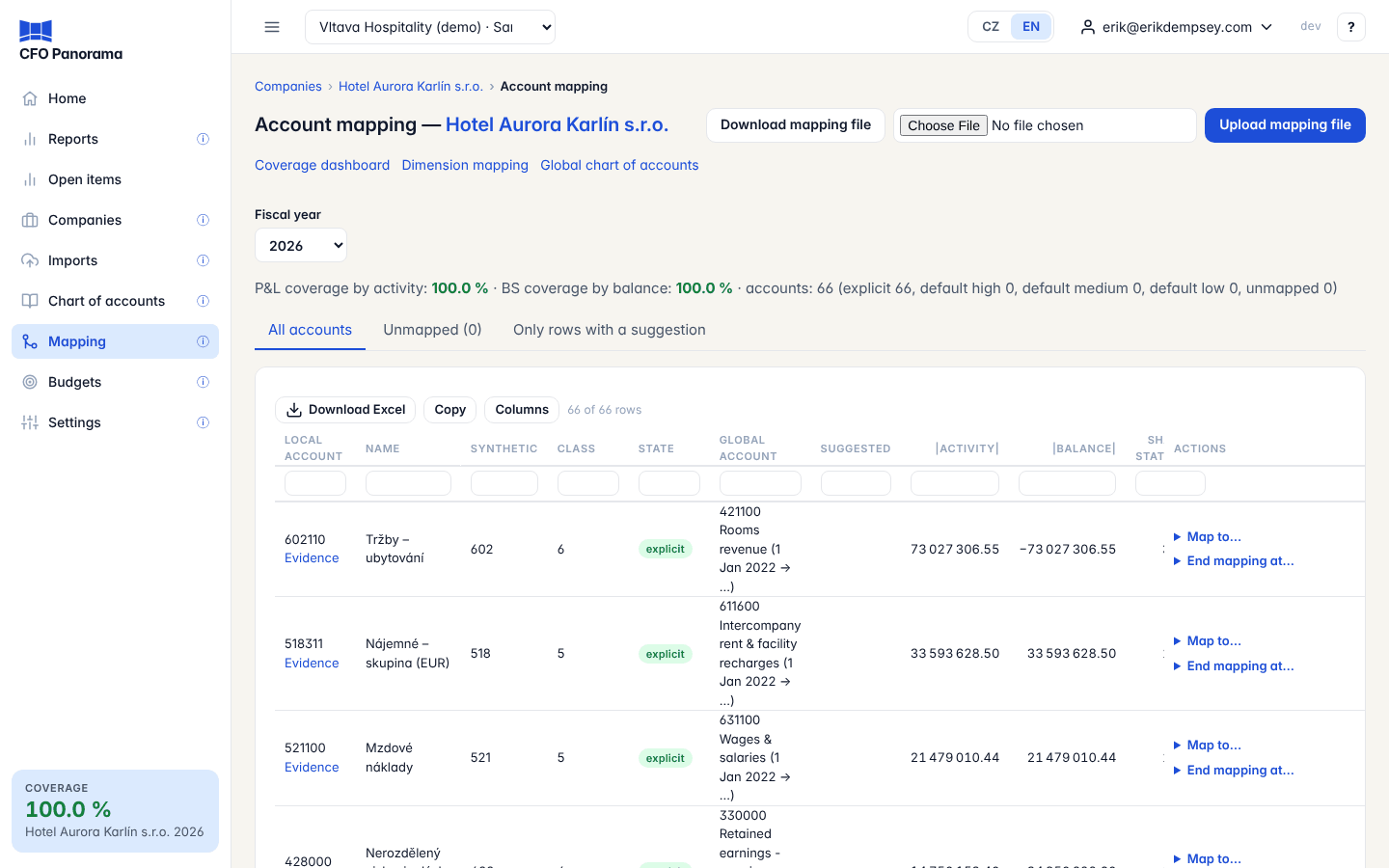
Choose the Fiscal year. The summary line gives the P&L coverage by activity, the BS coverage by balance and the number of accounts in each state. Three views:
- All accounts — every account with postings or a balance in the year;
- Unmapped (n) — only the accounts with postings that are not covered (default low or unmapped); n is the coverage dashboard's own count;
- Only rows with a suggestion.
The columns: Local account (with an Evidence link), Name, Synthetic, Class, State, Global account (with the mapping's months), Suggested, |activity| and |balance| in the year, and Share of statement. Class 7 and the internal classes 8–9 are listed under Not mappable: they are never mapped.
Mapping an account
Admins see an Actions column:
- Accept default … — confirm the default. It becomes explicit, from the first month with a posting.
- Accept … on a suggestion — choose from a month of the year, or leave Fiscal year to start with the year.
- Map to… — choose the Global account (the list is grouped by statement and section, the account's own statement first), from a month or first period with a line, to a month or open, then Save mapping. Remap from (with a from month) ends the current mapping the month before and starts the new one, so the earlier months keep their line.
- End mapping at… — end an explicit mapping after a chosen month.
Above the list, Accept all n high-confidence defaults and Accept the n suggestions do the same for many rows.
Every change applies to all reports at once; nothing is re-imported. A message names any locked periods affected: a mapping in force under a lock can be ended or remapped, never deleted, and the locked figures stay as they were.
Suggestions
On this page a suggestion comes from the account name: a keyword rule recognises the name and proposes a Global account, shown with its reason in Suggested. It appears only when it points to another line than the account has now; one that differs from the current mapping says so.
The mapping assistant reads more. It takes the account name first — a keyword rule on the name, or the standard Czech name of the synthetic account, which confirms the template default — and only then the posting texts: each text of the year is matched on its own, and an account wins the vote when at least half the texts point to it. A text vote never overrides the name. A suggestion there is sure when the name and the texts agree, or the name is the standard name and no text points elsewhere; anything else says check it. Only sure suggestions are accepted section by section there.
Evidence
Evidence opens what the books say about one account in the chosen year: the current resolution and the suggestion; debit and credit turnover, opening and closing balance, number of lines and whether the balance came back to zero at a month end; the ten Largest debit postings and Largest credit postings with their counter-accounts; the five largest Counter-accounts by synthetic; and Recurring amounts — texts and amounts that repeat in three or more months. Warnings flag postings of mixed nature and an account that holds most of the year's costs.
The coverage dashboard
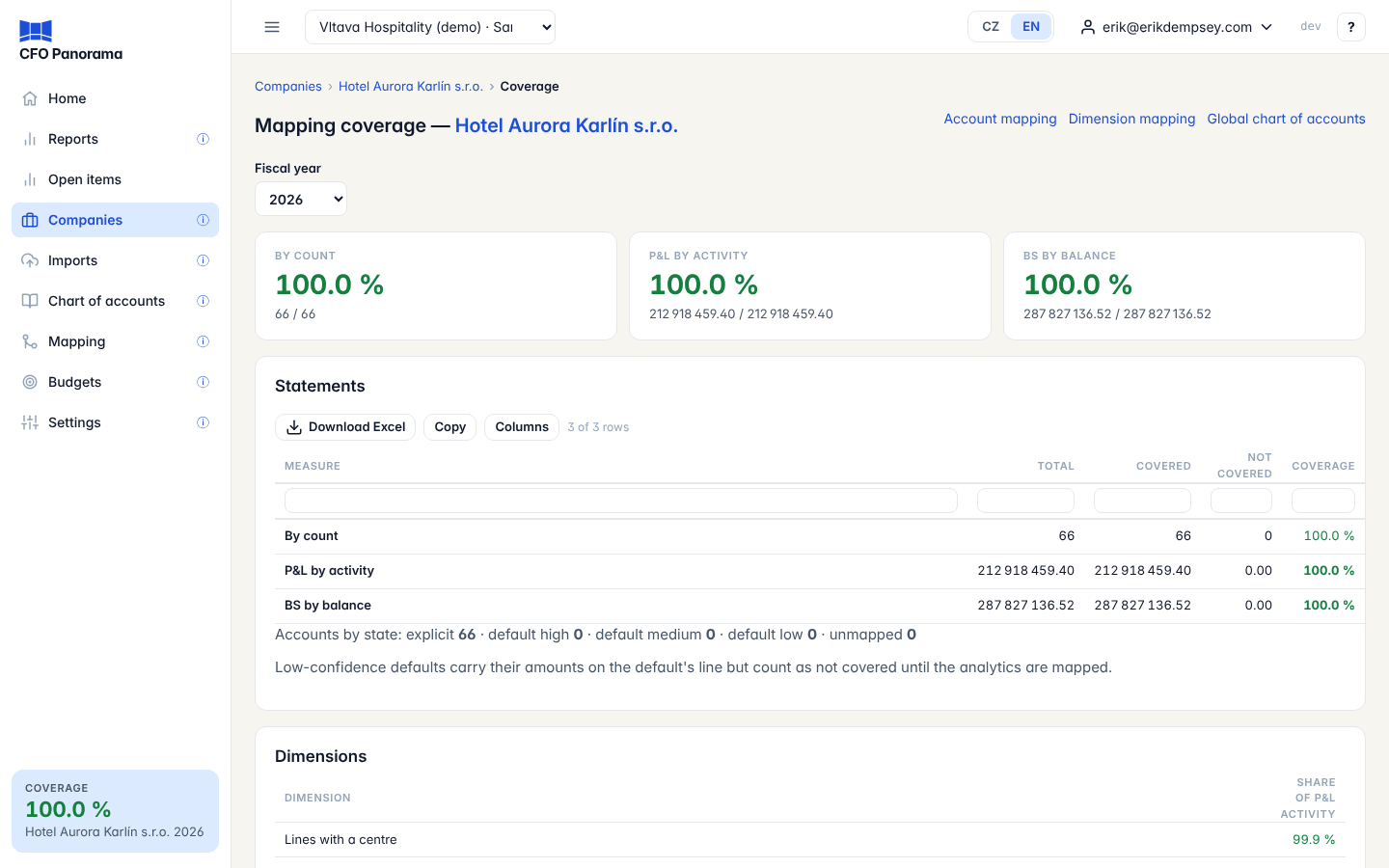
Three figures, each green from 95 %, amber from 80 %, red below:
- By count — covered accounts out of all accounts with postings or a balance in the year;
- P&L by activity — the share of the year's P&L movements on covered accounts;
- BS by balance — the share of the balance-sheet balances on covered accounts.
Statements gives each with its total, covered and not covered amounts. Not covered lists the unmapped and low-default accounts, with a link back to the account list. Dimensions shows the share of P&L activity that carries a cost centre, activity or job and how much of it is mapped to the group's dimensions. Trend by period shows the coverage month by month.
The coverage badge
At the foot of the sidebar, admins and editors see the Coverage badge: the lowest P&L by activity coverage of any company of the group, for its latest fiscal year, with the company's name, in the same colours. Click it to open Companies. It says no data yet before the first journal.
Did not find what you need? Write to erik@cfopanorama.com.