Settings and group profile
The Settings page and its cards, and the Group profile — name, plan, currencies, industry and the intercompany matching tolerance.
Settings in the sidebar is the admin's page for the group as a whole: its profile, members, legal documents, period locks and the log of platform access. Only admins of the group see it; editors and viewers do not.
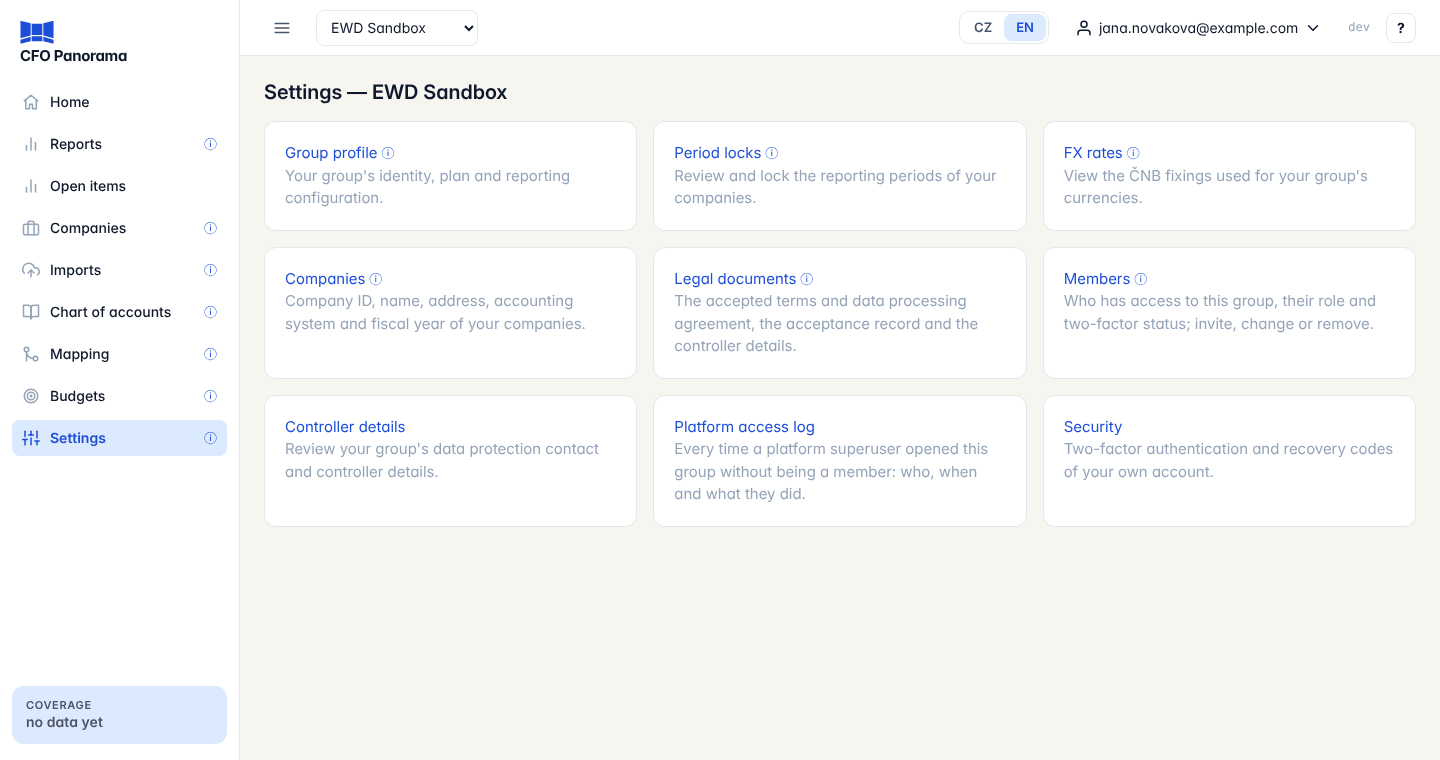
The Settings cards
| Card | What it opens |
|---|---|
| Group profile | Your group's identity, plan and reporting configuration (below). |
| Period locks | Lock the reporting periods of all companies — see Period locks. |
| FX rates | The ČNB fixings used for your group's currencies, month by month. |
| Companies | Company ID, name, address, accounting system and fiscal year of your companies — see Legal documents and company details. |
| Legal documents | The accepted terms and data processing agreement, the acceptance record and the controller details — see Legal documents and company details. |
| Members | Who has access, their role and two-factor status; invite, change or remove — see Members and roles. |
| Controller details | Your group's data protection contact and controller details. |
| Platform access log | Every time a CFO Panorama platform user opened your group without being a member — see Platform access log. |
| Security | Two-factor authentication and recovery codes of your own account. |
In a demo group the cards for companies, legal documents, members, controller details and the platform access log are not shown.
Group profile
The first card shows the group's settings. These are read-only; the page says Contact support to change these.
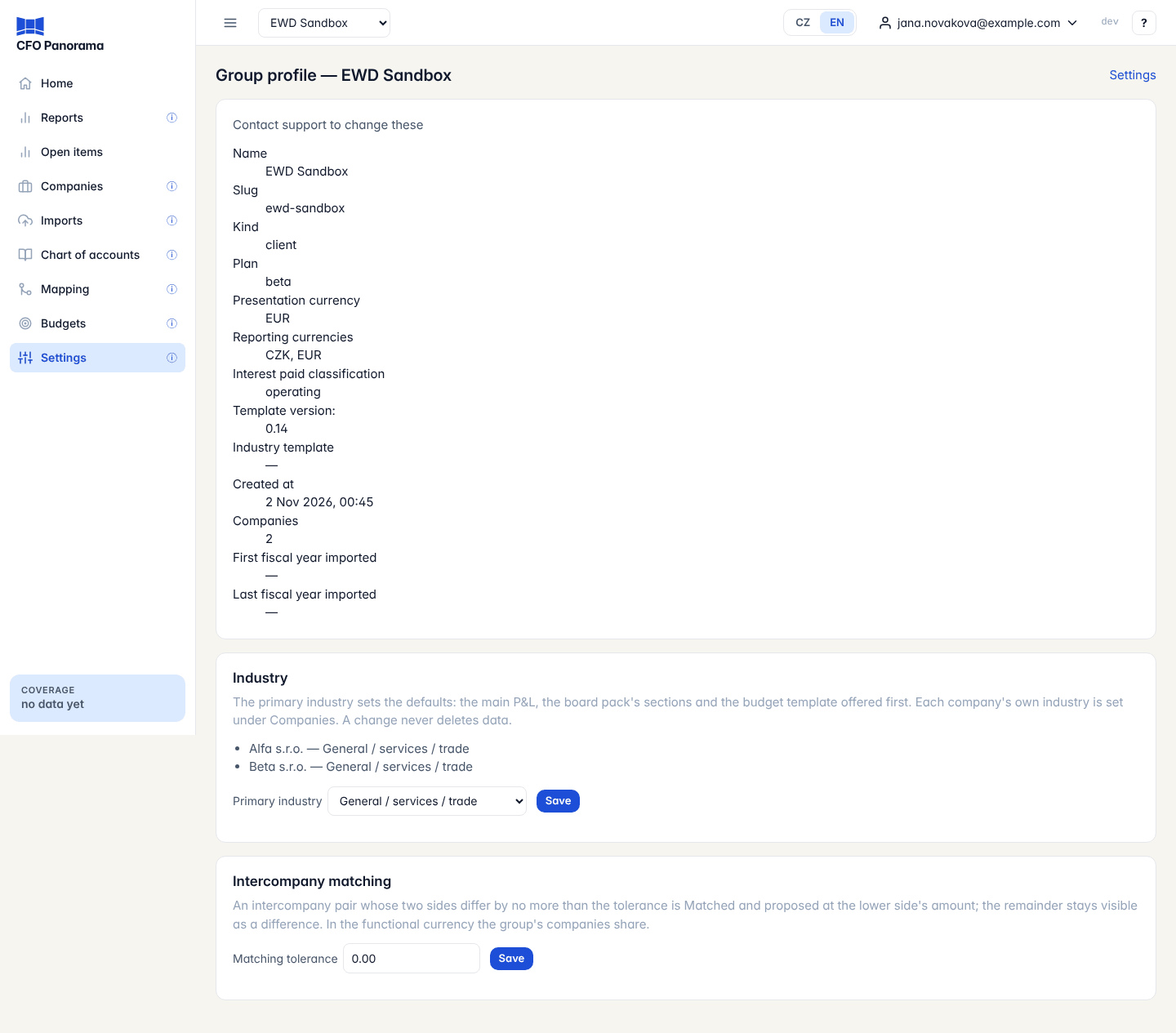
| Field | Meaning |
|---|---|
| Name, Slug | The group's name and its short code in links. |
| Kind, Plan | Client or sample group; beta, demo or standard plan. |
| Presentation currency | The currency the reports open in. |
| Reporting currencies | The currencies you can choose in the reports (CZK and EUR, at ČNB rates). |
| Interest paid classification | Where interest paid appears in the cash flow statement. |
| Template version, Industry template | The version of the group chart of accounts and the industry template it carries (for example hospitality). |
| Created at, Companies | When the group was set up and how many companies it has. |
| First / Last fiscal year imported | The years with accounting data. |
Industry
The Industry card shows each company's industry and the group's Primary industry. The primary industry sets the defaults: the main P&L, the board pack's sections and the budget template offered first. Each company's own industry is set under Settings → Companies.
To change it, choose another Primary industry and click Save. If the change adds an industry template (its accounts, its operating P&L and its statistics), the page first explains what will be added and the button becomes Confirm. Nothing that exists is changed or deleted. A group carries one industry template; a change that would need a second one is refused with the reason. See Industries.
Intercompany matching tolerance
Intercompany balances between your companies rarely agree to the last crown. The Matching tolerance decides when the two sides count as the same: a pair whose sides differ by no more than the tolerance is Matched and its elimination is proposed at the lower side's amount; the remainder stays visible as a difference.
- Enter an amount of 0.00 or more in Matching tolerance, in the currency the group's companies keep their books in.
- Click Save. The message Matching tolerance set to … confirms it.
The tolerance is used by Intercompany balances, the proposed eliminations and the report notice intercompany pairs out of balance. Every change is recorded with the old and the new value.
Good to know
- Only admins see Settings. Editors and viewers get Not allowed if they open it by a link.
- In a demo group the profile can be read but not changed.
Did not find what you need? Write to erik@cfopanorama.com.