Onboarding your group
The five onboarding steps an admin completes before the first upload — companies with ARES, industry, controller details, team and the online acceptance of the terms and the data processing agreement.
On this page
Before any data can be uploaded, an admin of a new client group completes a short onboarding: the companies, the industry, the controller details, the team and the acceptance of the terms. The agreement is filled in from what you enter.
The steps
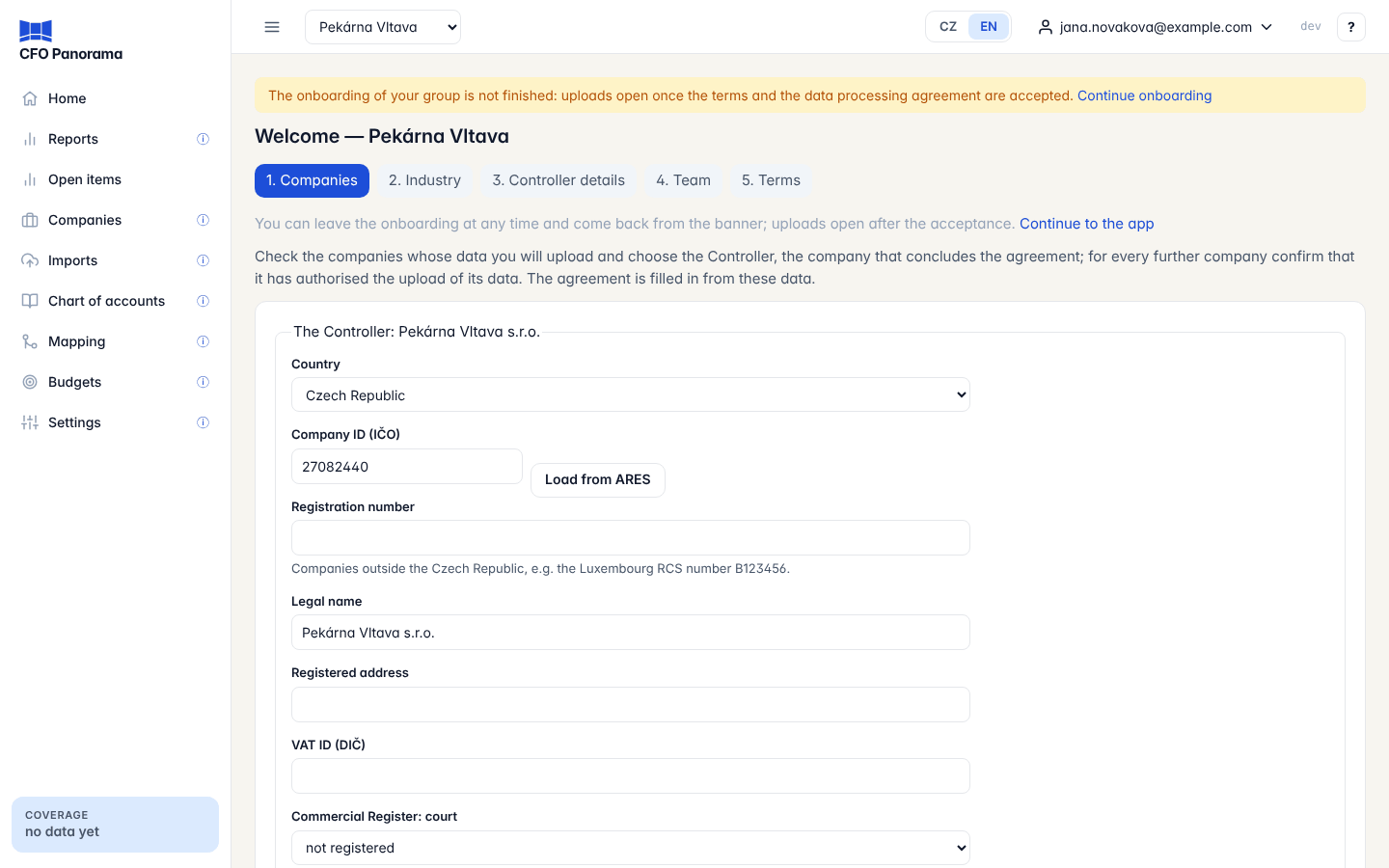
The steps are numbered at the top of every page — 1. Companies, 2. Industry, 3. Controller details, 4. Team, 5. Terms — and you can click any of them. Continue to the app takes you out; the banner The onboarding of your group is not finished and its Continue onboarding link bring you back.
Only admins see the onboarding. Editors and viewers see the banner Waiting for your administrator to accept the terms and the data processing agreement. Uploads open after that.
1. Companies
Check the companies whose data you will upload.
- For a Czech company, enter the Company ID (IČO) and click Load from ARES. The Legal name, Registered address, VAT ID (DIČ) and the Commercial Register entry are filled in, and often the Industry too (Suggested from the commercial register — please confirm). Check the data.
- Choose the Accounting system (POHODA, Money S3 or other), the Chart of accounts and the month the Fiscal year starts in.
- Choose the Industry (see Industries).
- Under Representation, state how the company is represented when it concludes the agreement: one person alone, jointly (two or more persons) or by power of attorney. With a power of attorney, upload it as a PDF.
- Our role for this company: controller in most cases; we are its processor when you upload its data for another controller (then upload the Authorisation of the controller (PDF)).
- With more than one company, choose The Controller — the company that concludes the agreement — and, for every further company, tick This company has authorised the upload of its data.
- Click Save and continue.
Use Add a company below to add more, and Remove this company to remove one without imported data. A company outside the Czech Republic has a Registration number instead of an IČO.
2. Industry
Check the industries of your companies and choose the Primary industry of the group. Show its main P&L previews the P&L layout it brings. Click Confirm and continue. Details in Industries.
3. Controller details
These become Part 2 of Annex A of the data processing agreement: the Group name in the Service, the Presentation currency, a few questions about your data (payroll per person, operating statistics from a PMS, special categories of personal data, healthcare) and the contacts — Data protection contact, E-mail for security notices and Contact for instructions. Click Save and continue.
4. Team
Invite the people who work with you: your accountant as editor, colleagues or board members as viewers. Enter the E-mail, the Role and the Language of the e-mail, then Send invitation. The invitations go out at once. Click Continue, or Skip for now and invite people later under Settings → Members (Members and roles).
5. Terms — accepting online
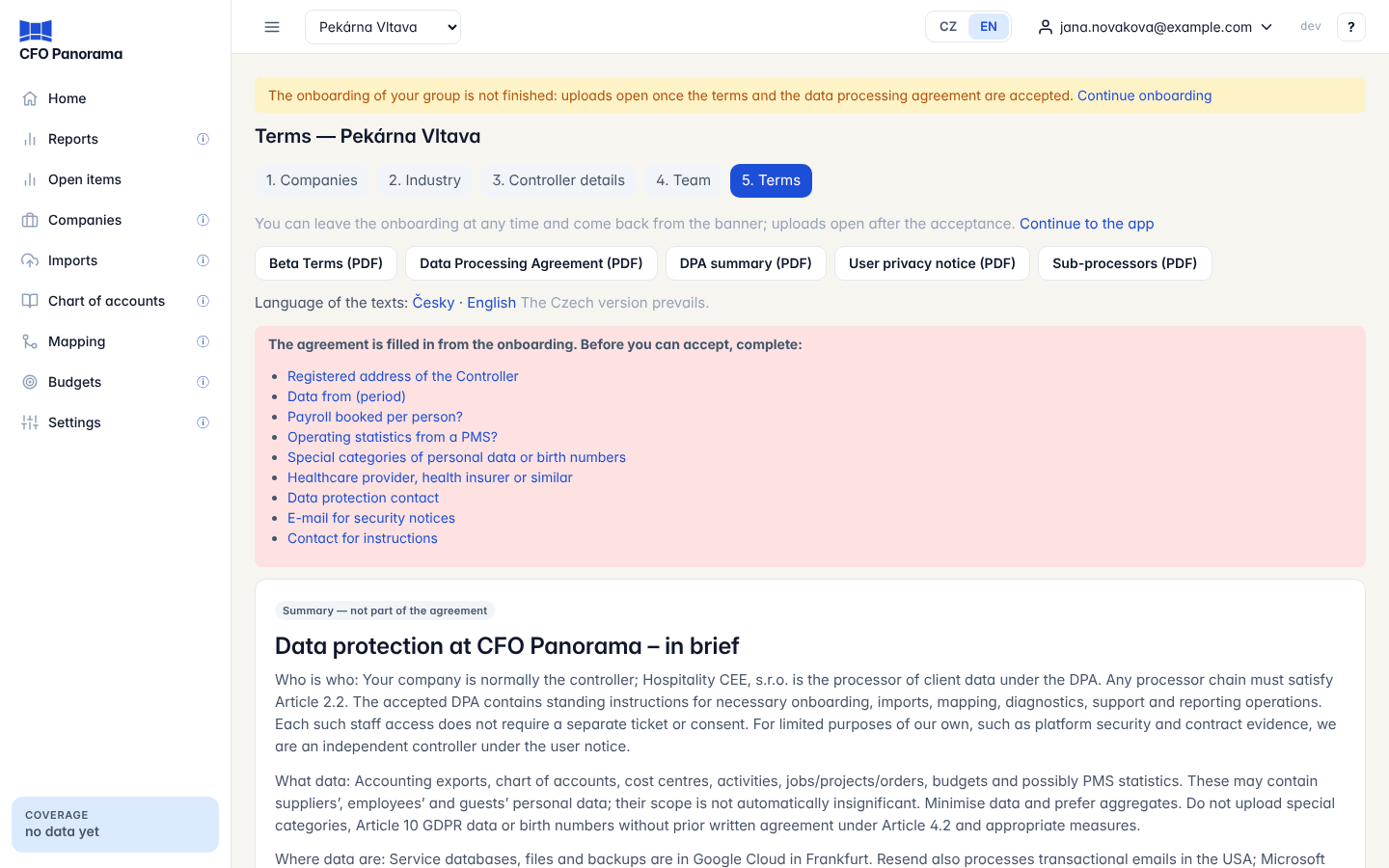
- Read the summary, the Beta Terms and the Data Processing Agreement, filled in with your group's data. Each has a PDF link; the buttons at the top (Beta Terms (PDF), Data Processing Agreement (PDF) and the others) download each document filled in with your data. Language of the texts switches between Czech and English; the Czech version prevails.
- Check What the agreement covers: every company with its IČO, address, authority, representation and role. If something is missing, a red box lists it with links to the step that fixes it.
- Under Acceptance on behalf of the Controller, enter your Name and surname and Position, choose the Basis of authority (member of the statutory body, registered proxy (prokurista) or attorney-in-fact) and, if needed, upload a power of attorney.
- Tick the three confirmations and click Accept on behalf of the Controller.
If your last authenticator code is older than five minutes, you are asked for a new one first; the form is kept.
What happens after the acceptance
- The message Thank you. The terms and the data processing agreement are accepted confirms it, and an e-mail with the acceptance PDF is sent.
- The acceptance is stored in your group's acceptance record with the documents and versions accepted, who accepted, and when.
- Uploads open, and new groups continue with Your data (Setting up your data).
The upload gate
Nothing can be uploaded before the acceptance. An upload is also refused when a company is not covered by the agreement, a further company's authority or a power of attorney is missing, or Annex D waits for its written agreement. The page Upload not possible yet names the reason.
Where the documents are afterwards
Settings → Legal documents shows the current versions, your filled-in data processing agreement and the Acceptance record with a Download link to each record's PDF. A company added later is confirmed there under Companies not yet covered. See Legal documents.
Did not find what you need? Write to erik@cfopanorama.com.