Adjustment journals
Reporting-only adjustments and reclassifications for one company, posted on top of its books — shown in Books + adjustments, never written to the accounting system.
On this page
An adjustment journal changes a company's figures for reporting only — for example an allocation of head-office costs to the outlets, an accrual the accountant will book next month, or a reclassification between two lines. It sits on top of the company's books in CFO Panorama; POHODA or Money S3 is never touched, and the accountant's books stay as they are.
Getting there
Companies → the company → Adjustment journals. Admins and editors can open it; posting and reversing are for admins. The company page also shows a card with the journals per fiscal year.
The list
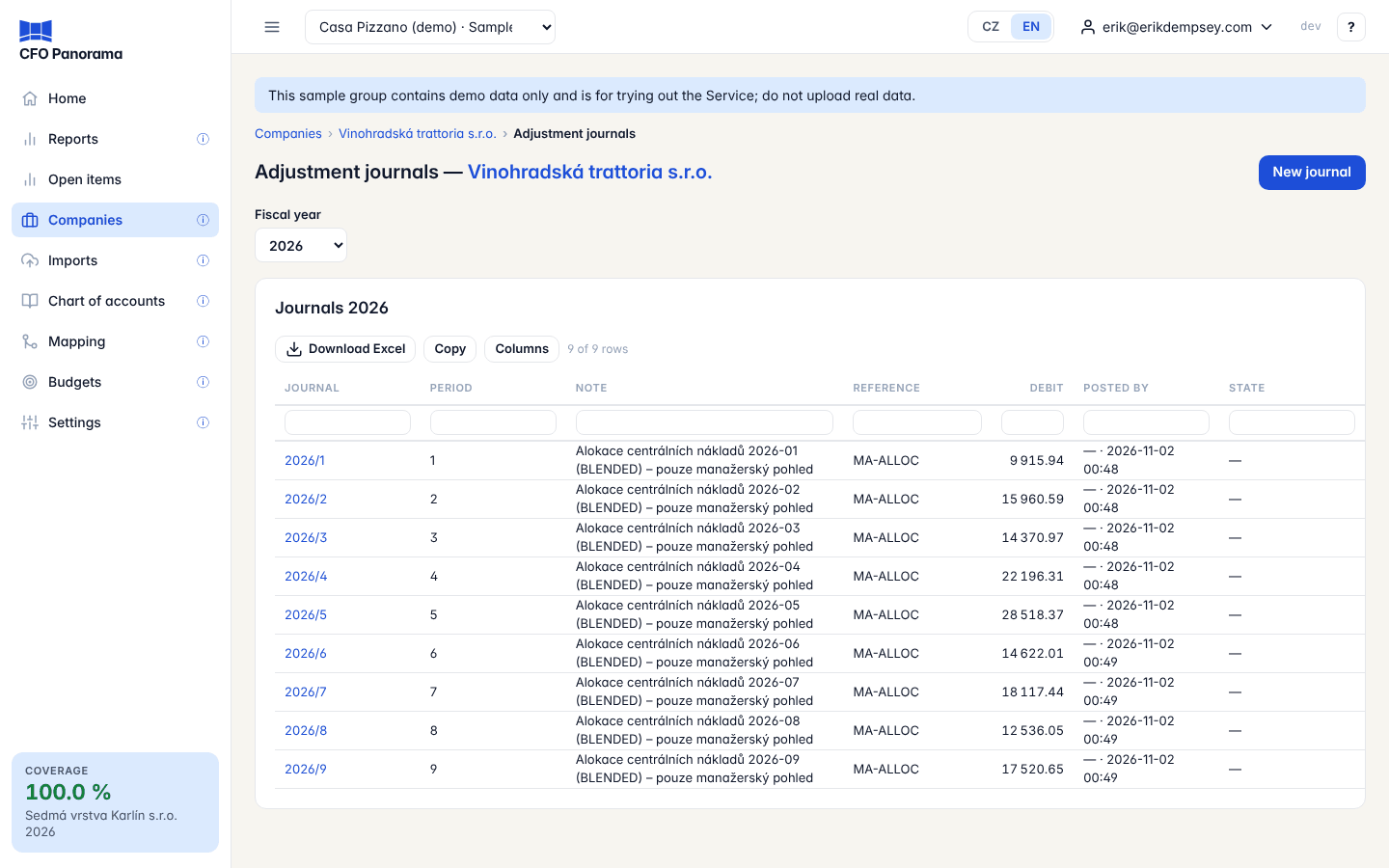
Choose the Fiscal year. Each journal shows Journal (its number per company and year, e.g. 2026/3), Period, Note, Reference, Debit, Posted by and State (reversal, reversed by …, locked period). Click a number for the detail: its lines and totals, the figures it wrote, and the audit trail.
Posting an adjustment
- Fill in Fiscal year, Period, an optional Reference and the Note (required — say why).
- On each line enter the Global account (the group chart's account — type a code or pick from the list), an optional Description and the Debit or Credit. Add line adds rows; empty rows are ignored.
- The panel under the lines shows Total debit, Total credit and Remaining to balance until it reads Balanced.
- Rate anchor matters only for a report in another currency: Period end (default) or Date with a Rate date.
- Click Post.
A reclassification is simply a journal that moves an amount from one account to another. A journal needs at least two lines and must balance. If the month is locked you must tick Post into a locked period; the lock stays and the reports flag the difference. If the same reference is already posted in that month you are asked to confirm.
Journals cannot be changed — reverse instead
A posted journal is immutable: nobody can edit or delete it. To correct a mistake, open the journal and, under Reverse this journal, choose the period (the same or a later one), add a note and click Reverse. The reversal posts the same lines with debit and credit swapped; the original is marked reversed by …. Then post the correct journal. Every step stays in the audit trail.
Where adjustments show
Reports have a Basis under Filters:
| Basis | Shows |
|---|---|
| Books + adjustments (default) | The books plus every posted adjustment journal — the management view. |
| Books only | Exactly what the accountant's books say. |
Exports and board packs say which basis they use; a workbook of Books only ends _Statutory. A drill-down on a figure lists the adjustment journals behind it beside the postings. In the cash flow, a reporting-only adjustment between P&L and equity has no cash effect.
Good to know
- Adjustments belong to one company. Eliminations between companies are posted separately on the group's elimination entity — see Eliminations.
- Viewers see adjusted figures in the reports but not this page.
Did not find what you need? Write to erik@cfopanorama.com.